How Criminals Trick Employees With Fake Invoices or Urgent Requests: The Hidden Threat Inside Every Inbox
December 3, 2025, 4 min read
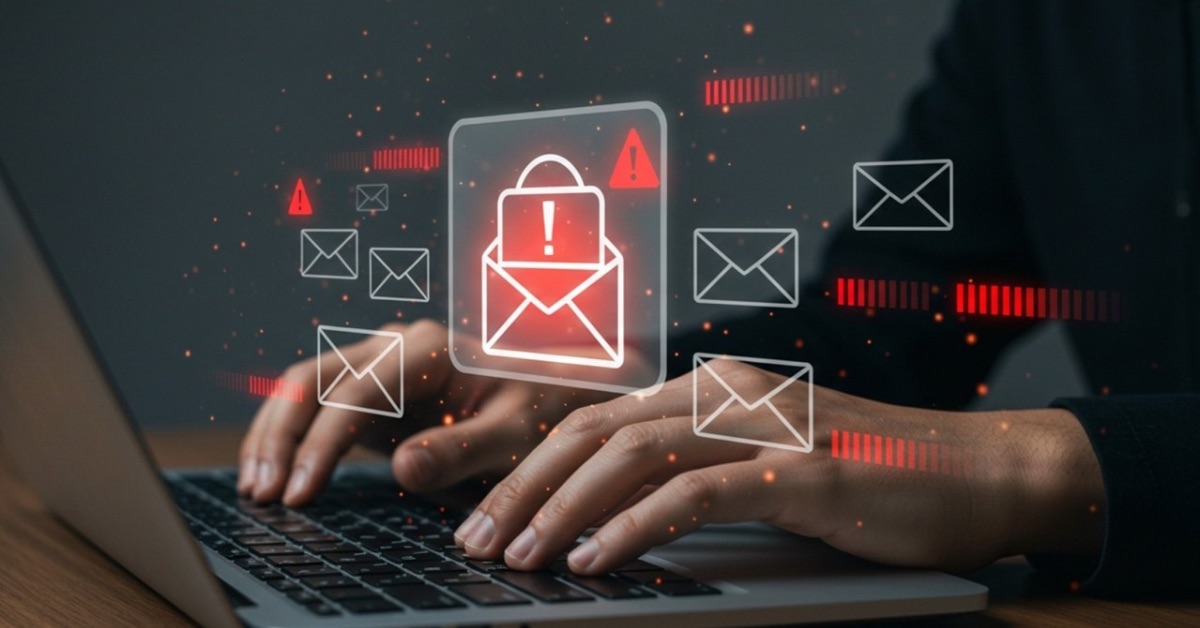
Cybercriminals no longer break in through firewalls — they walk right through the front door by tricking employees. And the easiest way in?
A fake invoice, a fake urgency, or a fake authority figure.
In 2025, over 71% of financial fraud incidents against companies started with nothing more than email manipulation. Attackers don’t need malware when they can make an employee click, pay, or approve something they think is legitimate.
This article breaks down how criminals target employees, the psychological triggers they exploit, and the operational defenses every organization needs.
1. Why Fake Invoices & Urgent Requests Work So Well
Fake-invoice scams and urgent-request scams (often called Business Email Compromise – BEC) succeed for one core reason: People trust familiar workflows. Criminals exploit that trust.
Attackers rely on:
- Routine → “We always pay invoices on Fridays.”
- Authority → “The CEO said it must be paid immediately.”
- Pressure → “This is urgent. You must act now.”
- Overload → Busy employees don’t check small inconsistencies.
A single convincing email can lead to hundreds of thousands of dollars lost — often without a single system being hacked.
2. The Techniques Criminals Use
Spoofed or Look-Alike Domains
Attackers register domains that look identical to a real vendor:
real: @globalcybersecuritynetwork.com
fake: @globalcybersecuritynetw0rk.com
fake: @global-cybersecuritynetwork.co
They replace one character or add an extra word. Under pressure, most employees never notice.
Compromised Vendor Emails
If attackers hack a vendor’s mailbox, they can:
- Read real invoices
- Copy real email templates
- Mimic the tone of the vendor
- Insert a fake bank account number into a legitimate invoice
This is one of the most damaging attack types because everything looks real.
“Urgent Payment Needed” Impersonation scams
Criminals pretend to be:
- CEO
- CFO
- Finance Director
- External auditors
- Lawyers
Their requests usually include lines like:
“Can you process this payment ASAP?”
“I’m in a meeting — do not call. Just execute.”
“We’re closing a deal and this must go out now.”
The phrase do not call me is a classic red flag.
Fake Invoice Attachments
Criminals send:
- Fake PDFs
- Fake DocuSign links
- Fake invoice portals
- Malware-laced Excel files with macros
These either deliver malware or route payments to fraudulent accounts.
Social Engineering Through Public Information
Attackers study:
- Company website
- LinkedIn updates
- Social media posts
- Employee promotions
- New vendors
If you post “We signed a new deal with a payment automation provider,” criminals immediately know which invoice style to copy.
3. Psychological Triggers Criminals Exploit
1. Urgency
“Now”, “ASAP”, “before 5 pm” — urgency forces quick decision-making and reduces scrutiny.
2. Authority Bias
When an email appears to come from a leader, employees hesitate to challenge it.
3. Social Proof
“Finance already approved — please proceed.”
Attackers know that employees follow perceived internal consensus.
4. Fear & Consequences
“This delay will affect our client relationship.”
Fear overrides logic.
5. Empathy Triggers
“My flight is boarding — help me get this processed.”
People help when they think someone is under pressure.
4. The True Cost of Fake Invoice Scams
It’s not only the money.
Fake-invoice and urgent-request attacks create:
- Reputational damage
- Loss of vendor trust
- Employee hesitation/fear
- Regulatory audits
- Legal complications
- Internal crisis communications
And often, the money can never be retrieved once transferred.
5. Real Examples (Anonymized)
Case 1: The CFO Who Never Wrote the Email
An attacker spoofed the CFO’s email and sent this message to an accountant:
“I need this payment released immediately. Board review today. Don’t call, I’m in meetings.”
The accountant transferred $240,000.
The CFO had no idea.
Case 2: The Real Vendor, The Fake Bank Details
A vendor’s email account was hacked.
Attackers intercepted a real invoice and changed the IBAN.
The company paid three months of invoices to the wrong account before discovering the breach.
Case 3: “Urgent: Contract Settlement”
Attackers studying LinkedIn noticed the CEO traveling abroad.
They sent:
“Please process contract settlement for the legal team before end of day.”
Employee paid immediately.
It was a scam.
6. How to Protect Your Organization From These Attacks
Mandatory Verification for Any Payment Change
Even if the email is from a real vendor or real manager:
- Always call using the phone number on file.
- Employees should also understand how to send money with debit card through approved company channels so criminals cannot reroute payments to fraudulent accounts.
Strict “Out-of-Band Confirmation” Policy
If any email contains:
- urgency
- secrecy
- financial changes
- links/attachments
→ Employee must verify through another channel (Slack, phone call, internal ticket).
Role-Based Access Control
Limit who:
- approves invoices
- processes payments
- changes vendor details
Fewer people = fewer risks.
Employee Training With Real Examples
Training should include:
- Spotting domain spoofing
- Identifying tone/behavior mismatches
- Recognizing fake urgency
- Detecting invoice formatting inconsistencies
Micro-training once a month works best.
Email Security & DMARC
Implement:
- SPF
- DKIM
- DMARC enforcement
This blocks domain spoofing at scale.
Zero-Trust Vendor Management
Cloud vendor accounts should require:
- MFR
- Role segregation
- Payment-change audit trails
- Vendor portal authentication
No vendor should be allowed to email new bank details without confirmation.
7. Red Flags Employees Should Memorize
Employees should STOP immediately if they see:
- 🚩 Email domain slightly altered
- 🚩 Urgent requests from leadership
- 🚩 Requests outside normal workflow
- 🚩 “Do not call/text me”
- 🚩 Vendor bank details changed suddenly
- 🚩 Payment amounts unusually high
- 🚩 Tone inconsistent with usual corporate writing
- 🚩 Attachments requiring macros or enabling content
- 🚩 Messages sent at unusual hours
These signals catch 90%+ of scams before damage occurs.
8. A Culture of Verification Beats Every Scam
The strongest defense isn’t a tool — it’s a mindset.
Employees must feel:
- Safe to question authority
- Encouraged to slow down
- Supported when reporting suspicious activity
Cybersecurity becomes strong when verification becomes normal.
Conclusion: Criminals Don’t Hack Systems — They Hack People
Fake invoices and urgent requests will keep evolving, because they hit the perfect combination of:
- psychology
- workflow familiarity
- operational chaos
But organizations that build strong verification habits will stop these scams every time.
Cybersecurity isn’t just about protecting networks.
It’s about protecting decision-making — at every level of the company.